Company
Choose Livin
Industry
B2C / Consumer SaaS
Timeline
2025 to 2026
My Role
Lead Product Designer
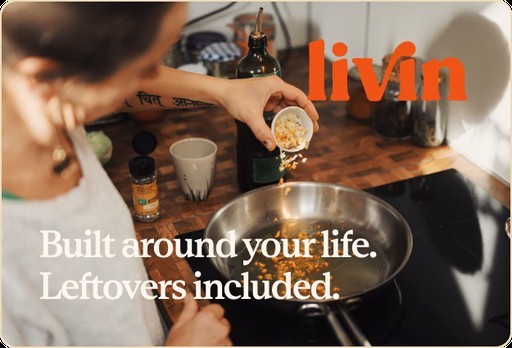
Livin Chef Service
0-to-1 design system and product UX for a personal chef platform — built fast using AI-assisted workflows across brand, content, and components
The Project
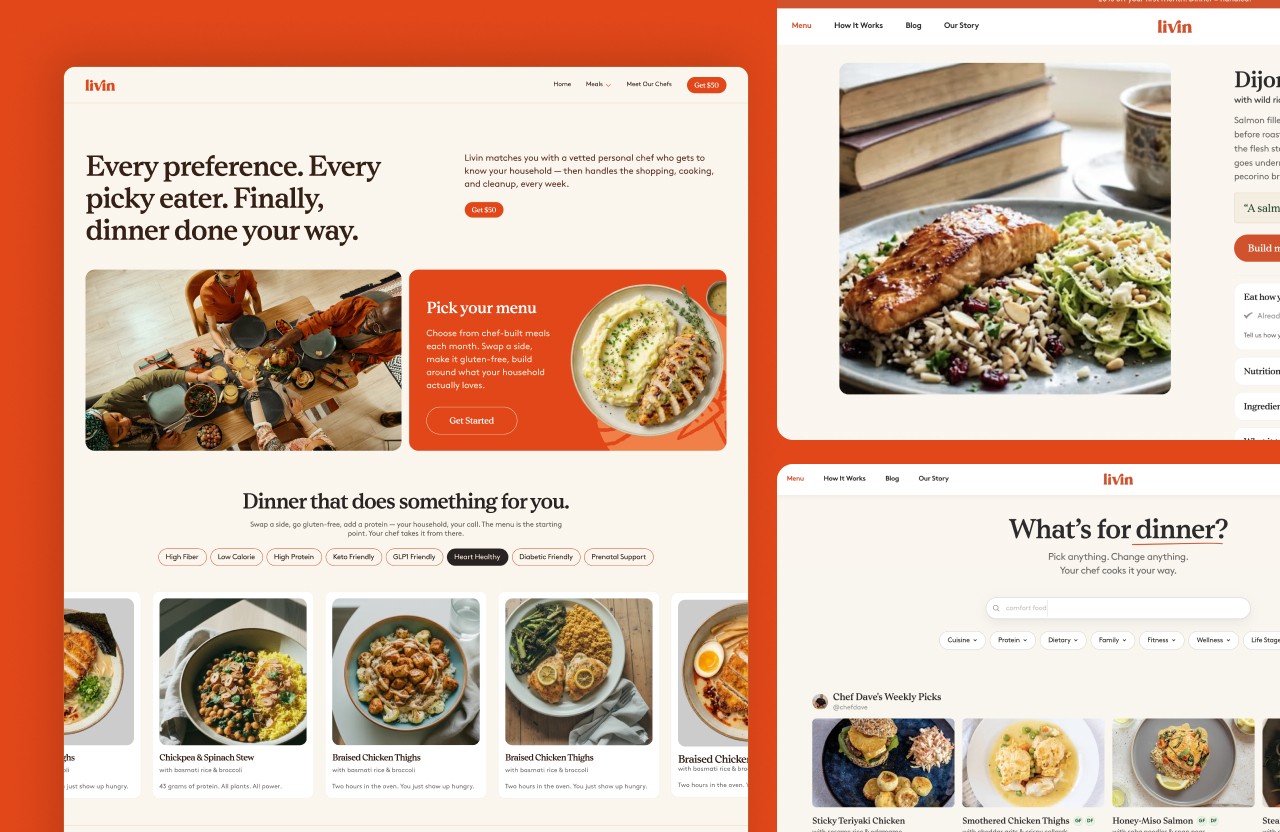
Livin is a personal chef and meal service targeting the LA market, connecting busy professionals and families with personal chefs for in-home dining experiences. I came in through Cherisa Designs to build the design system from the ground up and design the key customer-facing flows: onboarding, menu browsing and selection, and the household dashboard. The scope ran from brand identity through product UI, and I ran design and content work in parallel using AI-assisted workflows to compress the timeline.
View Website
1
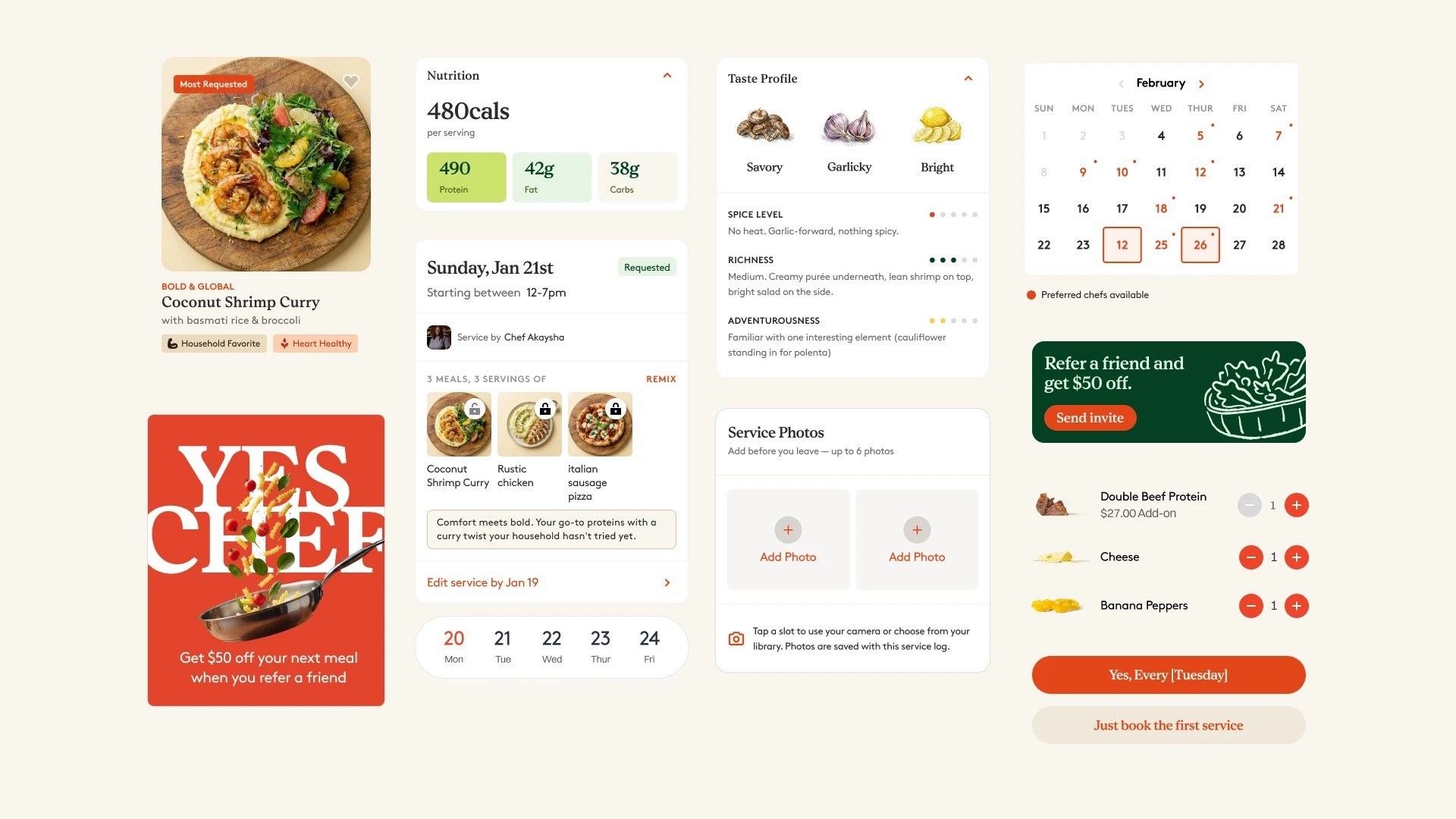
design system serving marketing, product, and chef-facing surfaces
3
core customer flows designed and handed off: onboarding, menu selection, household dashboard
Ai
used across brand voice, token architecture, image generation, and parallel workstreams
The Challenge
Personal chef services carry a lot of baggage. They read as expensive, exclusive, and hard to access. Livin needed to flip that perception and position the experience as a form of self-care and everyday ease — not a status symbol.
At the same time, the platform had real operational complexity underneath. Chefs needed clear prep information. Customers needed intuitive menu selection. Households with multiple members needed a dashboard that made sense at a glance. And it all had to feel like one coherent product, not a brand veneer over mismatched UI.
The design system had to hold all of that together — across brand, marketing, and product — without feeling patched from multiple directions.
Design System
With a tight timeline and two surfaces to design simultaneously — customer-facing and chef-facing — I made the system the first priority. A design system built before any screens means every decision compounds instead of conflicts.
Semantic color token architecture
I built the token system from the semantic layer down: naming conventions first, then light and dark mode structure, then component-level mapping. The goal was a system another designer or developer could read and extend without a handoff call.
The component library had to serve two distinct user types: customers browsing and booking, and chefs receiving prep details and managing their schedule. I built shared primitives — buttons, inputs, cards, status indicators — and then extended them with surface-specific variants rather than duplicating the whole system. This kept the token layer consistent while allowing visual differentiation between the customer-facing warmth and the chef-facing clarity.
Customer-facing UX
Onboarding
The onboarding flow had to accomplish two things at once: collect enough household information to personalize the experience, and do it without triggering the "expensive service" instinct that makes people abandon before they see the value. I sequenced the flow to show a personalized menu preview before asking for any account or payment information — letting the product make the case for itself before asking for commitment.

Menu browsing and selection
Menu selection was the highest-frequency interaction in the product. The design challenge was making it feel like browsing, not configuring. I leaned on the food imagery system — each dish card led with an AI-generated photograph built to the brand rubric — and kept decision points minimal per screen. Dietary filters and household member preferences surfaced contextually rather than as upfront setup.
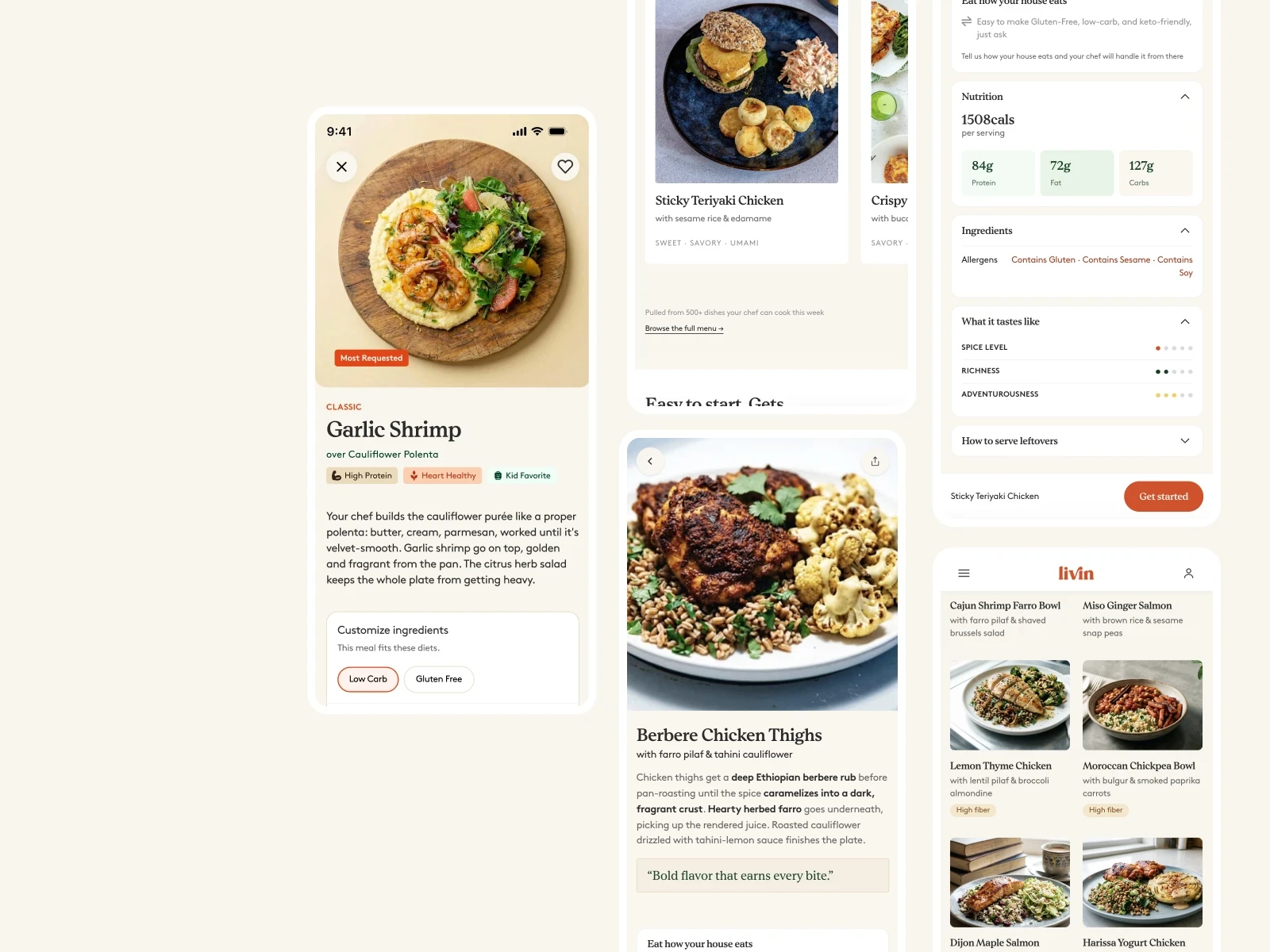
The design system is complete and actively in use across the product. All three core customer flows — onboarding, menu selection, and the household dashboard — have been designed and handed off. Livin is currently moving toward launch in the LA market, and the project remains active as new surfaces are scoped.